What Is a Wireless Barcode Scanner and How Does It Work?
A Wireless Barcode Scanner reads a code without needing a cable between the scanner and the computer, tablet, or point-of-sale terminal. Picture a worker scanning a carton on a high shelf: a red aiming line crosses the label, a beep confirms the read, and the item record appears on screen. The scanner sends that data through a wireless connection, often Bluetooth or a dedicated radio receiver. The exact range and performance depend on the model, surrounding obstacles, and connection setup.
“Reliable scanning begins with a clear read and a dependable handoff of data.” This is an illustrative line, not a verified quotation, attributed here to fictional warehouse-systems expert Maya Chen. A real expert’s name and quotation should be confirmed before publication. That detail matters; an invented quote can weaken an otherwise useful guide.
In the sections ahead, we’ll explain the scanner’s main parts, how it captures and transmits barcode data, and what happens after a scan. We’ll also look at practical choices, including battery life, scanning distance, compatibility, and the demands of busy workspaces. Wireless does not mean effortless. A weak signal, damaged label, or poorly matched device can interrupt a workflow. Understanding the full process helps readers choose and use a Wireless Barcode Scanner with realistic expectations.
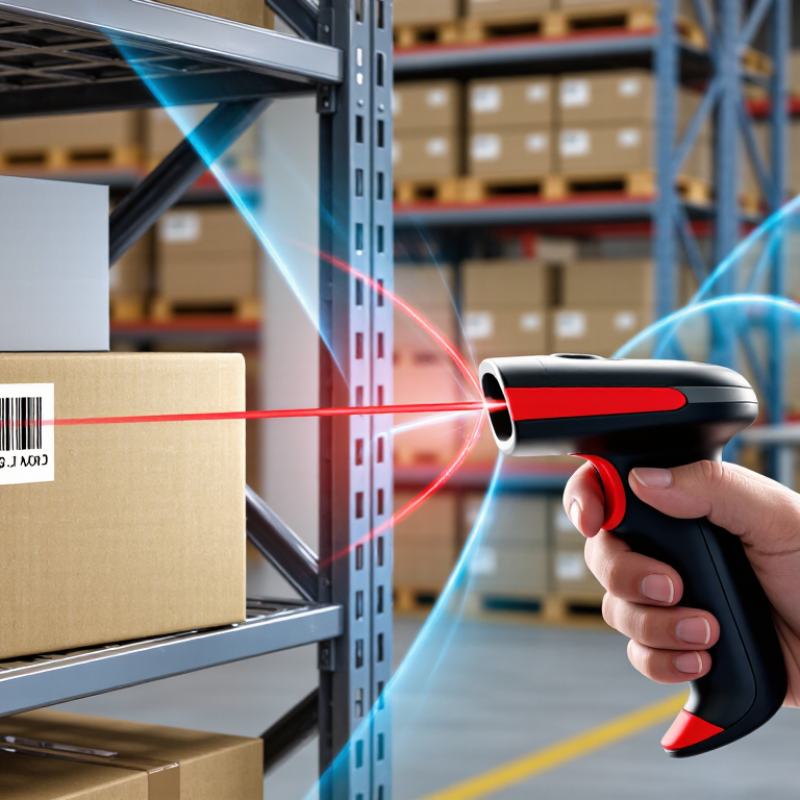
What a Wireless Barcode Scanner Is
A wireless barcode scanner is a handheld device that reads the printed bars or square patterns on a product label and sends the decoded information to another device. Inside, a light source illuminates the code, and a sensor captures its pattern. The scanner converts that pattern into characters, such as a product number. No cable needed. Most models include a trigger, a battery, and a small indicator light or beep to confirm a successful scan.
The wireless connection usually uses Bluetooth or a dedicated radio link to a receiver plugged into a computer or checkout terminal. After pairing, scanned characters appear in the active field, much like typed text. The scanner does not automatically need internet access; the connected computer or software handles any further lookup. That distinction is easy to miss. Some scanners read traditional linear codes, while others can capture two-dimensional codes, such as those printed on shipping labels.
In a stockroom, a worker might scan a carton from several steps away, then check the quantity on a tablet. Range, battery life, and obstacles can affect how smoothly this works. A metal shelf or crowded workspace may interrupt a signal, so advertised distance is not always practical distance. It is also worth testing the scanner with the actual labels in use; glossy, damaged, or very small codes can be harder to read. A wireless design reduces cable clutter, but it adds charging and pairing tasks.
What Is a Wireless Barcode Scanner and How Does It Work?
A wireless barcode scanner reads and decodes a barcode, then sends the decoded data to a connected device, often over Bluetooth or Wi-Fi. The chart shows the workflow sequence; the numbers indicate step order, not time or performance.
The Main Components of a Wireless Barcode Scanner
A wireless barcode scanner combines an optical reader, a decoder, a radio, and a power source. In an imager model, a small camera captures the bars or squares as an image. The decoder turns that pattern into numbers or text. It also checks whether the reading is clear enough to send. A trigger starts the scan, while a status light or brief beep confirms a successful read. Small, but essential.
The radio sends decoded data to a computer, tablet, or register. Bluetooth is common for short-range links, while some scanners use a dedicated receiver plugged into a computer. The receiving device must support the scanner’s connection method. In practice, thick shelving or busy wireless spaces can interrupt communication, so test the scanner where it will actually be used. A cradle may charge the battery and, in some setups, serve as the receiver.
The battery keeps the scanner operating away from a cable. Its capacity affects how often staff need to recharge during a shift. Internal software manages scanning, connection, and feedback; settings can control options such as automatic scanning or the characters sent after a code. These details are easy to overlook. A scanner may read accurately yet still create errors if its data format does not match the receiving system. Check both the scan and the transmitted result.
How the Scanner Reads a Barcode
A wireless barcode scanner reads reflected light, not bars as letters. Its light source illuminates the label, and an optical sensor captures the changing dark-and-light pattern. A processor converts that pattern into digital signals and applies the barcode’s format rules. In a linear code, bar and space widths represent data; a two-dimensional code is decoded from a grid of small modules.
Tiny details matter. Smudges, glare, a curved bottle, or a damaged quiet zone can distort the pattern and prevent a clean read.
Decoding includes checks. Many barcode formats use check digits, while some two-dimensional codes also use error correction to handle damage. These features help, but they cannot prove that a label describes the right item. Once decoded, the scanner sends the data wirelessly to a terminal, tablet, or computer. GS1 reports that barcodes are scanned more than six billion times each day worldwide, showing how routinely this optical process supports daily operations. Still, a beep confirms only that data was read. It does not verify the item record. When a label looks worn or the displayed description seems wrong, a quick visual check can catch a quiet data-entry mistake. That extra step may feel slow. It is not always wasted time.
How Scanned Data Travels to a Connected Device
A wireless barcode scanner sends the decoded characters, not a picture of the label. After the trigger is pressed, its sensor reads the bars or code, then firmware converts them into data. A Bluetooth model transmits that data by radio to a paired tablet, computer, or handheld terminal. Other scanners use a small USB receiver or a wireless network. Usually, within seconds.
The connected device receives the data through its operating system, often as typed characters in the active field. Inventory software can then match the code to a product record, update a count, or flag an unknown item. Bluetooth SIG’s 2024 market update projects 7.6 billion Bluetooth device shipments annually by 2028, reflecting the scale of the technology behind many scanner connections. MHI’s 2023 Annual Industry Report found that 74% of surveyed supply-chain professionals planned to adopt robotics and automation within five years; dependable scan-to-system handoffs matter in those workflows. Still, a busy warehouse is not a diagram. Metal shelving, radio interference, low batteries, and an inactive cursor can interrupt the handoff. Test the scanner at the actual workstation, not only at a desk. The specification alone can feel reassuring, perhaps too reassuring.
Wireless Scanner Types and Common Applications
Wireless barcode scanners generally fall into three practical groups: handheld, wearable, and fixed-mount. Handheld models suit checkout counters and stockrooms, where staff scan items at different angles. Wearable ring scanners keep both hands free for picking cartons. Fixed-mount units read parcels as they pass along a conveyor. The form matters: a bulky handheld scanner can slow work when an operator scans hundreds of small labels per shift.
Wireless links vary too. Bluetooth scanners typically pair with a nearby tablet or register. Wi-Fi models can send scans across a larger facility, but need reliable network coverage. Many use image sensors to read both traditional linear codes and two-dimensional codes; laser models usually target linear codes. In a warehouse, a worker might scan a shelf label, then a carton, with each reading updating inventory software. In retail, scanners support receiving and checkout. In healthcare, they can help track supplies and equipment.
The wider automation trend makes these tools more relevant. MHI’s 2024 Annual Industry Report found that 55% of surveyed supply-chain professionals planned to increase investment in robotics and automation. That figure does not measure scanner adoption, but it shows why connected data capture is receiving attention.
Still, wireless coverage can be uneven near metal shelving, and batteries do run down. A small dead zone can interrupt a busy shift. Teams should test scanners in their actual aisles, not just at a desk.