10 Tips for Choosing Hotel Electronic Locks
Choosing Hotel Electronic Locks is no longer a simple hardware decision. It affects guest safety, staff efficiency, room access, and the hotel’s operating reputation. A lock may look elegant on a lobby display, yet fail under heavy daily use. That difference matters.
Industry data supports careful evaluation. Grand View Research has reported continued growth in the global smart lock market, driven by hospitality, residential, and commercial demand. Fortune Business Insights also identifies connected access systems as a growing part of the broader security technology market. These reports indicate strong momentum, but market growth does not guarantee product quality. Hotel buyers still need evidence from field performance, service records, and independent testing.
The hospitality sector also faces rising expectations for contactless service. Reports from Deloitte and industry organizations such as the American Hotel & Lodging Association highlight technology’s growing role in guest experience and operational efficiency. Guests now expect quick mobile access, reliable keycards, and discreet security. Staff need clear audit trails and fast emergency response. Details matter.
A practical selection process should examine battery life, encryption, access permissions, installation requirements, software integration, and after-sales support. It should also consider doors, corridors, humidity, and cleaning routines. No lock is perfect. Even advanced systems can suffer from weak network design, poor maintenance, or rushed installation. That gap matters.
The following ten tips offer a realistic framework for comparing Hotel Electronic Locks. They combine industry evidence with operational experience, while recognizing that every property has different risks, budgets, and service standards.
Define the Hotel’s Security, Access, and Operational Requirements
10 Tips for Choosing Hotel Electronic Locks
Define the hotel’s security, access, and operational requirements before comparing lock features. A 200-room property needs different controls from a small boutique hotel. Map every entry point, including guestrooms, staff doors, storage rooms, elevators, and emergency exits. Decide who needs access, at what time, and for how long. Guests may need room access only. Housekeeping may require scheduled access. Managers need controlled override privileges.
Security must include more than a strong credential. Verizon’s 2024 Data Breach Investigations Report found that the human element appeared in 68% of breaches. Use role-based permissions, two-factor administration, and complete access logs. IBM’s 2024 Cost of a Data Breach Report placed the global average breach cost at $4.88 million. That figure is not hotel-specific, but it shows why connected lock systems deserve careful protection. Require encryption, secure software updates, and rapid credential cancellation after lost cards. Small gaps matter.
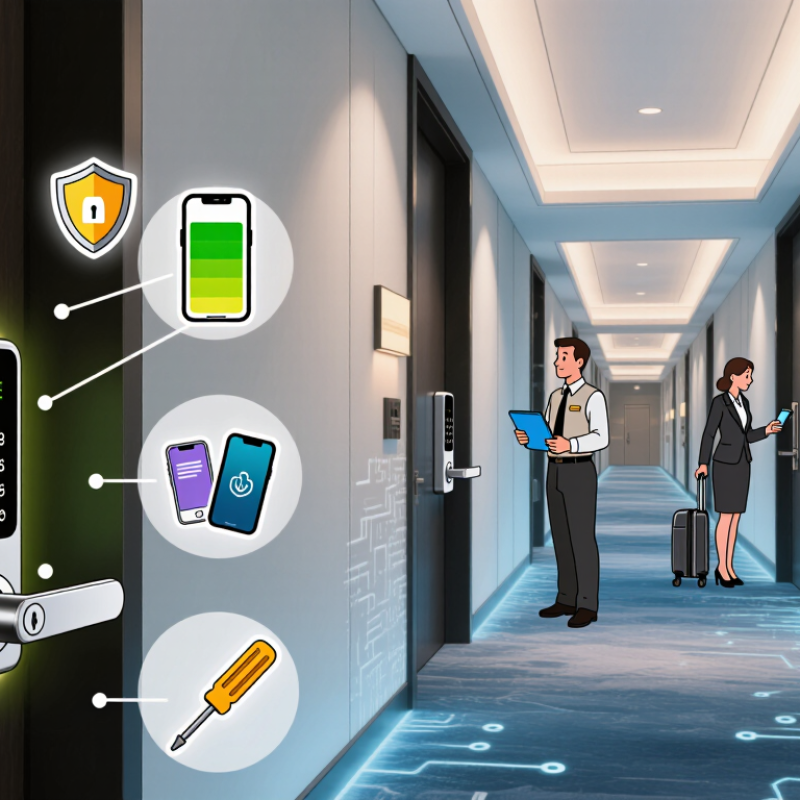
Operations decide whether a lock succeeds daily. Check battery warnings, offline operation, emergency unlocking, and compatibility with the property’s guest-management system. Test doors with luggage, wet hands, and low batteries. Test the fallback. A technically impressive lock can still frustrate guests when connectivity fails at midnight. Ask staff to demonstrate issuing, changing, and revoking access. I would also measure battery replacement time and audit-log retrieval, because these practical details are easy to overlook. Perfect planning is unlikely. Regular review is essential.
Compare Lock Technologies, Credentials, and Access Methods
10 Tips for Choosing Hotel Electronic Locks
Compare the credential before comparing the lock body. RFID cards are familiar, inexpensive, and easy to replace. Mobile credentials can reduce plastic use and support remote updates through Bluetooth. PIN access is convenient, but guests may share codes or leave them visible. Biometrics can improve identity checks, although privacy concerns and failure rates need careful testing. Verizon’s 2024 Data Breach Investigations Report analyzed 30,458 incidents and found a human element in 68% of breaches. Staff training still matters.
Tip: Test every access method in a real corridor. Try wet hands, low phone batteries, poor lighting, and crowded check-in periods. NIST Special Publication 800-63B emphasizes stronger authentication and controlled credential recovery. A hotel should therefore protect enrollment, reset, and emergency access processes, not only the door reader. Mechanical override keys also need strict custody records. Small gaps become operational problems.
Tip: Compare offline, online, and hybrid architectures. Online locks provide faster revocation and clearer audit trails. Offline systems may remain available during network failures, but event data can arrive late. Hybrid designs often balance resilience and visibility. I would not promise perfect security. Batteries fail, guests forget instructions, and software updates can be delayed. The 2024 Verizon report also shows that technology alone cannot remove human risk. Choose measurable uptime, readable logs, accessible support, and a recovery plan that employees can actually follow.
Evaluate Compatibility With Doors, Software, and Hotel Systems
10 Tips for Choosing Hotel Electronic Locks
Start with the door itself. Measure the thickness, frame clearance, hinge direction, and existing mortise dimensions. A lock may look suitable but fail when the door closes tightly. Check whether it works with wooden, metal, glass, or fire-rated doors. Then test a sample door in a busy corridor. Hotel doors face repeated impacts, luggage contact, and cleaning chemicals. These details expose weaknesses that product photos cannot show.
Software compatibility deserves equal attention. Confirm that the lock connects with the hotel’s property management, check-in, and access-control systems. Guest credentials should activate at arrival and expire at checkout without manual corrections. Ask about API support, time synchronization, user permissions, audit logs, and offline operation. Test elevators, staff rooms, parking areas, and emergency access together. One isolated test is not enough. I have seen integrations pass in a quiet office but fail during a network interruption.
Request clear installation drawings and maintenance instructions. Confirm firmware update methods, battery warnings, and data backup procedures. The system should record who entered, when, and which door opened. Protect those records with controlled administrator access. Run a pilot on several room types before ordering hundreds of units. This costs time, but replacing incompatible locks costs more. My own evaluations sometimes focus too heavily on hardware appearance. That is a mistake. A dependable lock must fit the door, communicate with hotel software, and remain usable during ordinary disruptions.
Assess Power Supply, Emergency Access, and Maintenance Needs
Hotel electronic locks deserve more than a sleek reader and a low quoted price. Assess three realities: power continuity, emergency access, and maintenance labor. The U.S. Energy Information Administration’s 2018 CBECS identifies lodging as a commercial building category with substantial electricity demand. Therefore, calculate battery life under actual traffic, not brochure conditions. Test cold rooms, weak batteries, and repeated guest entry. Keep a mechanical or secured electronic override available for fire, medical, and system emergencies. Not during outages. Emergency procedures should align with the building’s life-safety plan and local inspection requirements. Do not hide the override behind one manager’s phone.
Access logs also require disciplined protection. The 2024 Cost of a Data Breach Report places the global average breach cost at $4.88 million. That figure is not a hotel-lock forecast, but it shows why default credentials and shared accounts deserve rejection. Require role-based access, offline audit storage, and documented key cancellation. Ask suppliers for update procedures and vulnerability response times. Vague answers are warning signs.
Maintenance is where many installations become expensive. The World Travel & Tourism Council’s 2024 Economic Impact Research reports that travel and tourism supported 348 million jobs globally in 2023. High turnover increases training pressure. Choose replaceable batteries, visible diagnostics, and common spare parts. Record battery changes, failed reads, door alignment, and emergency tests. A monthly checklist is useful, though not flawless. Review it after every outage or forced entry. The best choice may be less elegant, but easier to recover.