Choosing the best Document Camera in 2026 is less about chasing the highest resolution and more about matching a tool to real teaching and presentation needs. A teacher may need to show handwriting clearly from the back of a bright classroom. A trainer may care more about USB-C connectivity, fast autofocus, and reliable screen sharing. Small details matter.
The evidence calls for practical judgment. UNESCO’s 2023 Global Education Monitoring Report stresses that education technology works best when its use fits the learning context and is supported by evidence. EDUCAUSE’s 2024 Horizon Report: Teaching and Learning Edition also tracks changing classroom technologies and teaching practices. Neither report ranks document cameras specifically. That gap matters: broad technology trends cannot tell you whether a camera will capture faint pencil marks or awkwardly crop a workbook page.
This guide compares the features buyers can verify, including image quality, lighting, software compatibility, portability, and price. It also considers setup time and everyday reliability, not just impressive specifications. A polished demo can mislead. A sharp image on a small laptop screen may look soft on a projector, and performance can vary with room lighting. There is no perfect model for every room. The best choice depends on what you show, how often you move the camera, and which devices you already use.
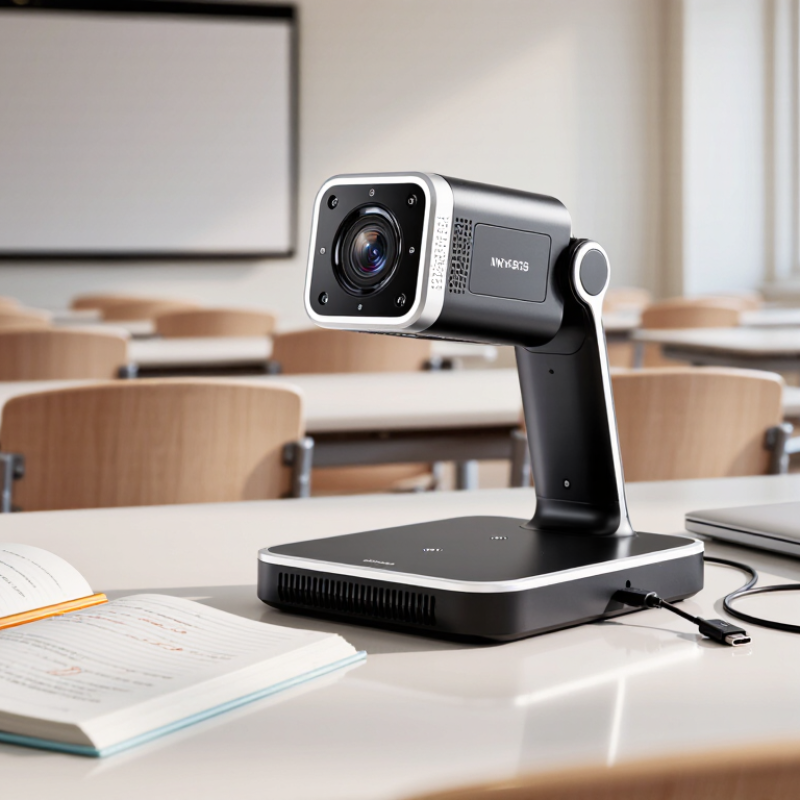
A document camera is a small imaging system that shows a physical object on a screen in real time. It usually combines a camera head, an adjustable arm, a light, and software or a display connection. Place a worksheet beneath the lens, and the camera captures its image for a class, meeting, or recording. Simple idea.
The camera sensor turns reflected light into a digital image. Focus and exposure settings help keep text readable as the camera moves closer or farther away. Built-in LEDs can brighten a page, though glossy paper may still reflect light into the lens. The image then travels to a computer or display, where viewers can see details together. Some software also allows zooming, freezing a frame, or adding annotations. Not every page lies flat.
When comparing document cameras in 2026, look beyond resolution. A sharp sensor helps reveal small print, but stable positioning and even lighting matter just as much. Check whether the camera can capture a full page without cropping and whether its connection works with your existing setup. These details are easy to overlook. A practical test is to show a page with fine print, a colored diagram, and a handwritten note; each exposes different weaknesses. The “best” choice depends on the room, the materials, and how often the camera will be moved.
| Dimension | What It Is or How It Works | Why It Matters | What to Look For |
|---|---|---|---|
| Basic purpose | A document camera captures a live image of a document, book, object, or demonstration and sends it to a display or computer. | It lets a group view physical materials without passing them around or making a separate scan first. | Choose a setup that works with the display, computer, or video-conferencing system used in your space. |
| Camera head and arm | A camera positioned above a work surface points downward. Many models use a flexible or folding arm to adjust the camera’s position. | Working distance and arm movement affect how much of the page or object fits in the frame. | Check that the camera can cover the largest materials you expect to show and can be positioned steadily. |
| Image sensor and resolution | The sensor converts incoming light into a digital image. Resolution describes the image dimensions; for example, 1920 × 1080 is Full HD, while 3840 × 2160 is 4K UHD. | More pixels can reveal finer detail, but the display, connection, and software must also support the chosen resolution. | Match resolution to your use: readable text and fine diagrams may benefit from higher resolution, while everyday page display may not require it. |
| Focus | Autofocus adjusts the lens to bring the subject into focus; manual focus lets the user adjust it directly. | Focus can change when switching between a flat page and a three-dimensional object. | Look for reliable focus behavior at the distances and with the materials you plan to demonstrate. |
| Lighting | A built-in light illuminates the subject, while the camera sensor records the reflected light. Ambient room lighting also affects the image. | Even lighting can improve visibility and reduce shadows on pages or objects. | Check whether the light can be adjusted or switched off, especially when reflective materials are used. |
| Frame rate and motion | Frame rate is the number of video frames captured per second. Higher frame rates can make moving demonstrations appear smoother. | It matters more when showing hand movements, experiments, or live manipulation than when displaying a still page. | Confirm the supported frame rate at the resolution you intend to use; specifications can differ by setting. |
| Connection and software | A camera may send video through a computer connection or directly to a compatible display. Software can provide controls such as image rotation, capture, or annotation. | Connections and software determine how easily the camera fits into lessons, meetings, or recording workflows. | Verify compatibility with your operating system, display inputs, conferencing tools, and any required capture software. |
| Portability and setup | Some designs fold or use a compact base; others are intended to remain installed at a desk or teaching station. | Size, stability, and setup time influence how convenient the camera is for shared rooms or frequent travel. | Consider workspace size, storage, cable routing, and whether the camera needs to be moved regularly. |
| How it works: capture to display | Light from the subject passes through the lens, the sensor turns it into image data, and the camera sends that data to a connected computer or display. | This live image can be shown to an audience, included in a video call, or recorded when the software and connection support it. | Test the full path—from camera and cable to software and screen—before relying on it for a presentation. |
| Choosing the best fit in 2026 | There is no single best document camera for every use; the right choice depends on materials, room setup, image needs, and workflow. | A feature is useful only when it solves a real need in your setting. | Prioritize compatibility, clear focus, suitable coverage, dependable lighting, and the resolution and motion quality your tasks require. |
Specifications and available features vary by model. Check the manufacturer’s documentation and test compatibility with your equipment before purchasing.